A purpose-built, high-throughput dispatch environment designed for speed and clarity under pressure. Intelligent automatic dispatch, a live fleet map, multi-window receptionist panel, recurring jobs and built-in driver communications — everything your team needs on a single screen.
No calls. No radio. No arguments. The system evaluates every online driver by proximity, availability and job history and assigns the best match automatically — or gives the dispatcher a ranked recommendation to approve with one click.
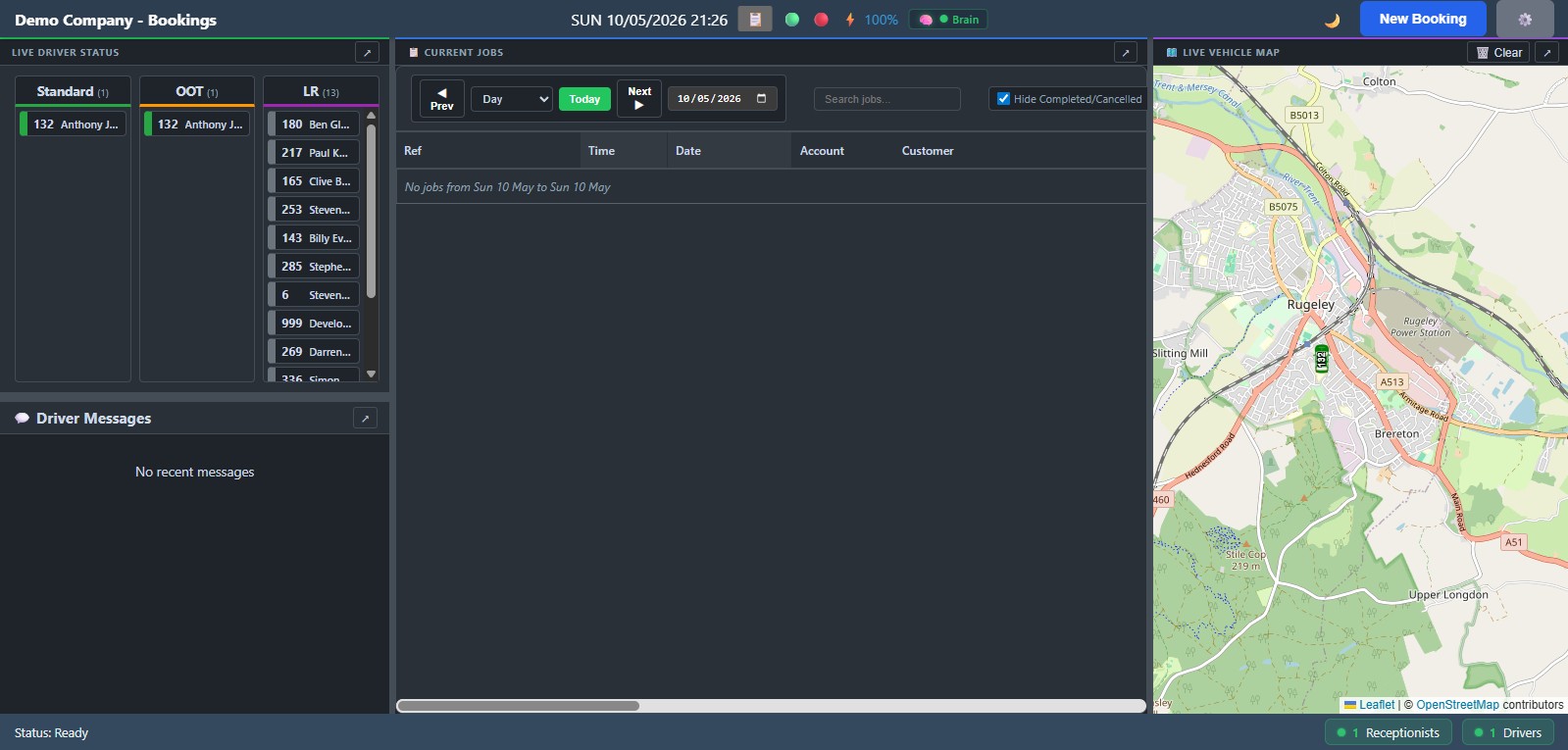
🖥️Screenshot — Main Dispatch Console
all panels docked default order.
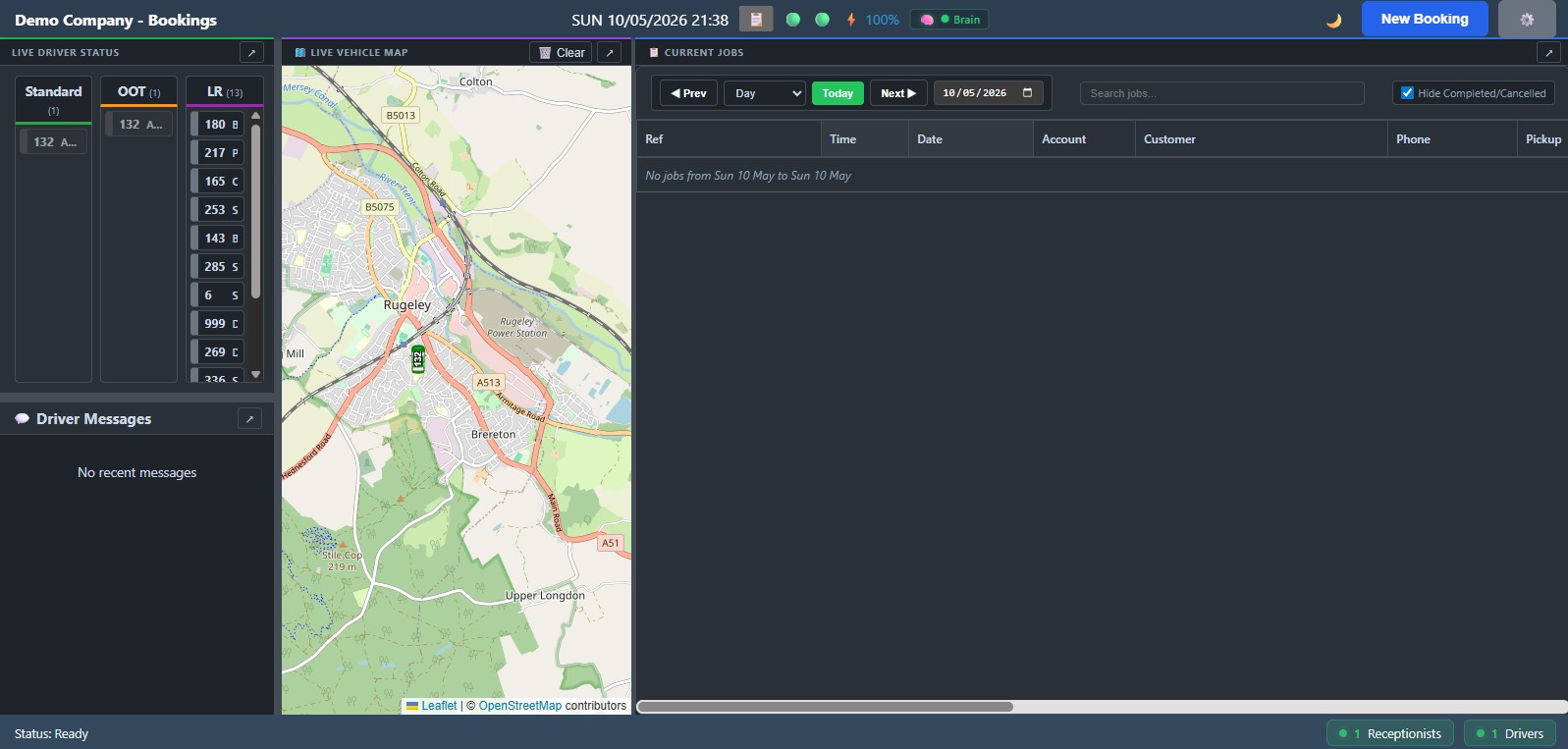
🖥️Screenshot — Main Dispatch Console
all panels docked reordered.
🧠
Automatic Best-Match Assignment
When a new booking arrives, the system scores every available driver against proximity, current status and recent job history — and dispatches the best match without manual input.
🔄
Fair Rotation Strategies
Configurable rotation logic ensures work is shared equitably across your driver pool. No driver gets consistently overlooked and no driver can game the queue.
⭐
Preferred Drivers
Regular customers can have a preferred driver assigned to their bookings. The system honours this automatically when that driver is available.
🚌
OOT & LR Queues
Out-of-town and long-range queues are managed separately so drivers who have travelled further aren't penalised and the right job goes to the right driver type.
📋
Smart Queuing
The queue is always ordered intelligently. Newly available drivers slot into the correct position automatically based on your fleet's configured dispatch logic.
🎭
Dispatcher Always in Control
Automatic dispatch is a powerful default, not a locked-in constraint. Dispatchers can override any assignment, reassign manually or pause auto-dispatch at any time.
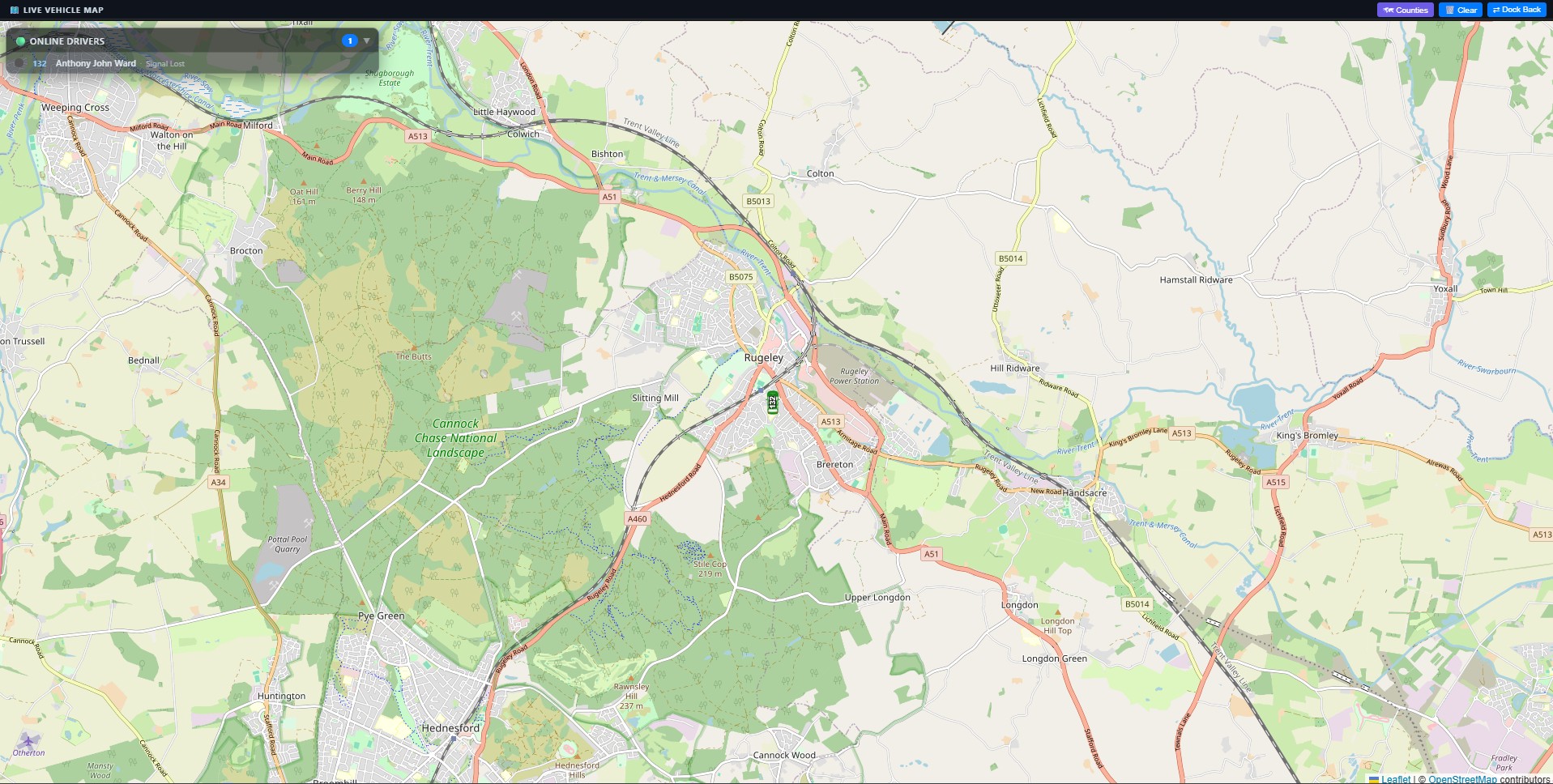
Real-Time Fleet Map
A live interactive map runs alongside your booking queue at all times. Every driver's position, status, speed and battery level is visible at a glance. Zone-based routing keeps dispatch decisions intelligent and location-aware.
🗺️Screenshot — Live Fleet Map
Map Screen undocked.
📍
Live GPS for Every Driver
Continuous position updates for all active drivers. See exactly where each vehicle is, how fast it's moving and whether the driver is available, on a job or offline.
🛣️
Job Route Display
Click any active job to see the full route on the map — from the driver's current position through the pickup and on to the drop-off.
🏠
Zone Management
Define geographic zones for your operation area. Zone boundaries inform dispatch logic, pricing rules and driver allocation.
🎯
Points of Interest
Pre-saved POIs — airports, hotels, hospitals, train stations — visible on the map and available as instant-select destinations when creating new bookings.
📏
Nearest Driver Highlight
When a new job comes in, the map instantly highlights the closest available drivers, making the assignment decision fast and visually obvious.
🔋
Battery & Signal Status
Driver device battery level and signal strength are shown per driver so dispatchers can anticipate communication issues before they become problems.
Multi-Window Receptionist Panel
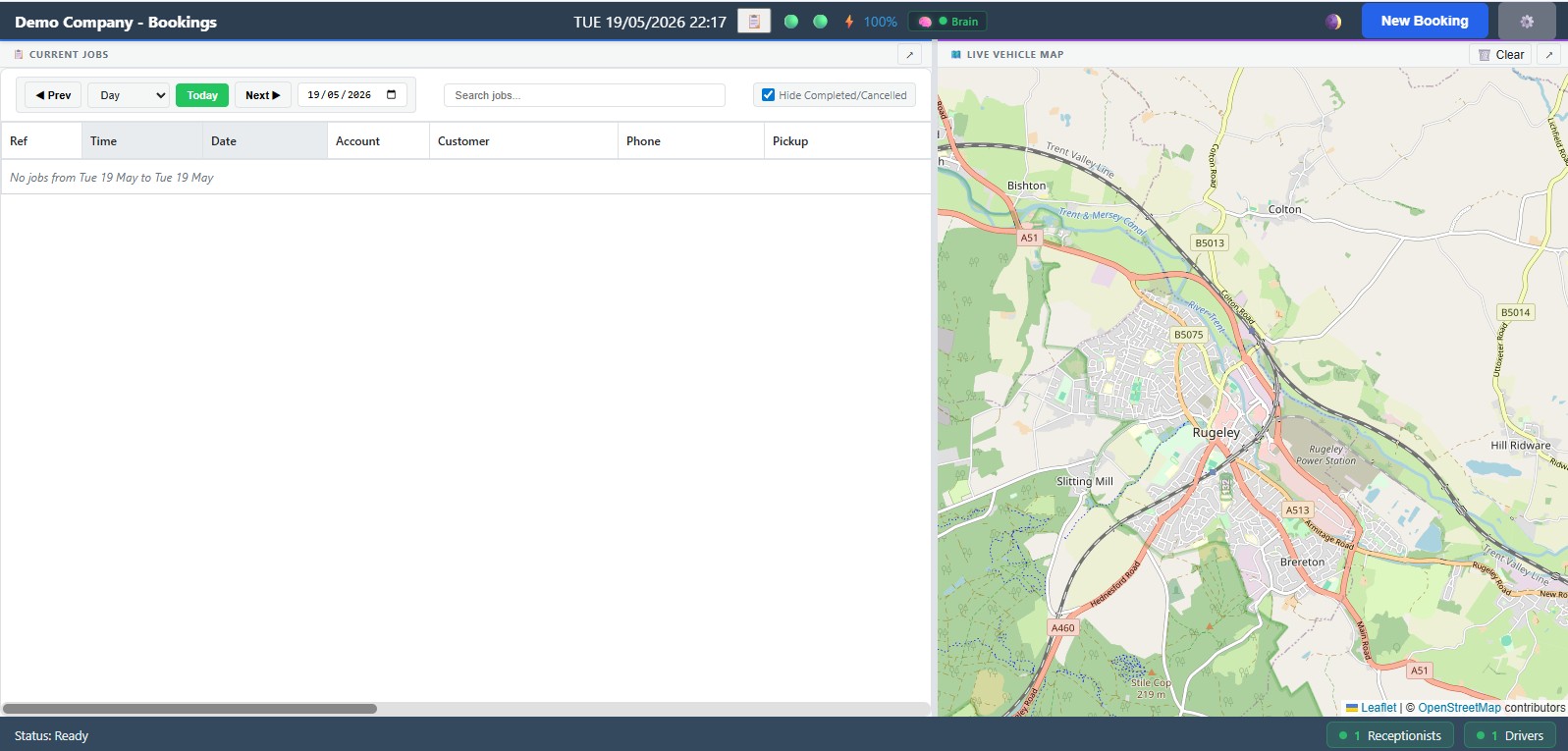
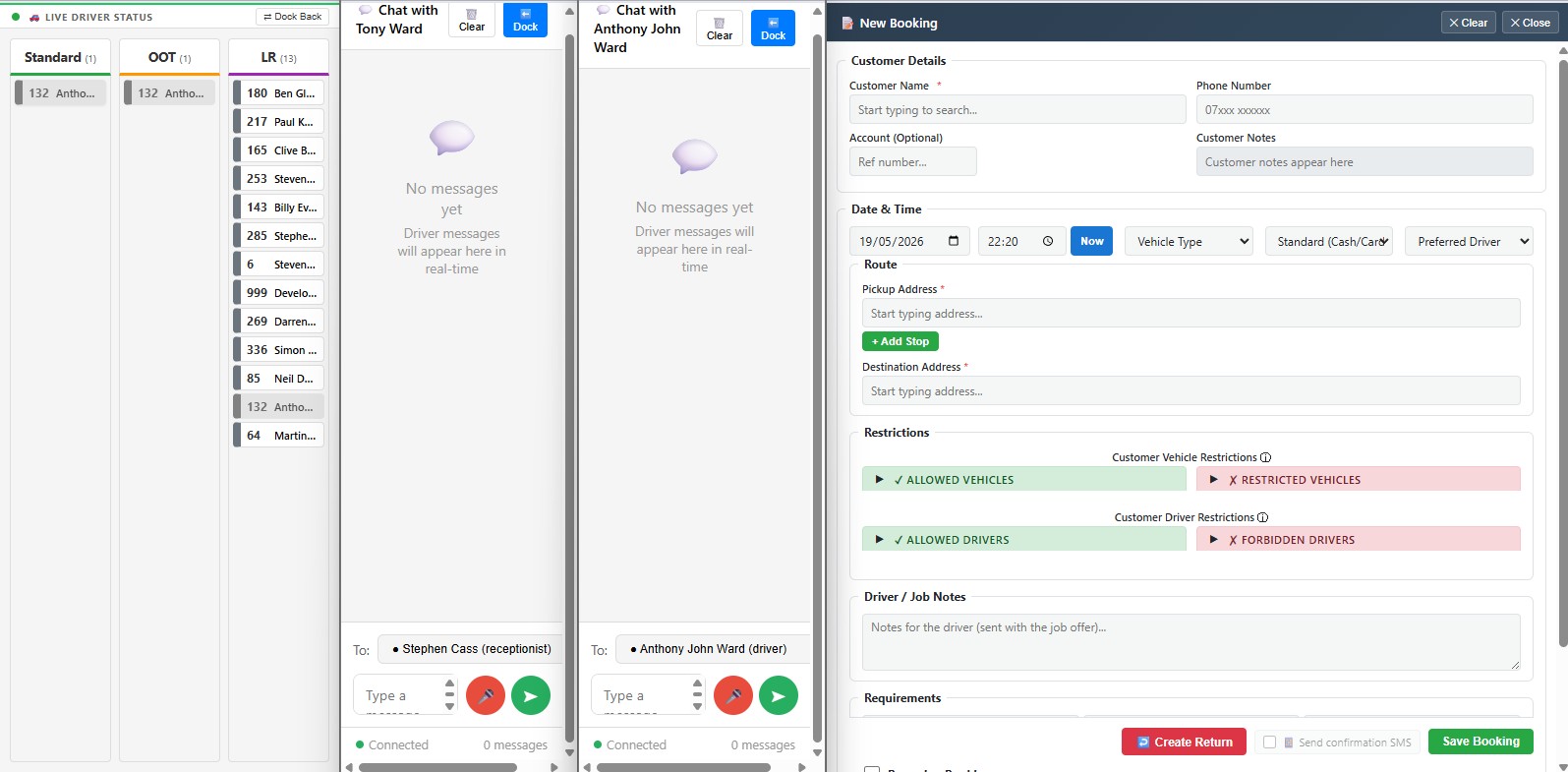
A purpose-built receptionist interface with multiple detachable windows that can be spread across screens. Bookings, drivers, map and chat are all live simultaneously — no toggling between tabs, no switching contexts.
🖥️Screenshot — Multi-Window Receptionist Panel
bookings Panel and Live Vehicle Map panel (Screen 1).
driver queue panel, chat panel and New booking panel on (screen 2).
🖥️
Detachable Multi-Window Layout
Each panel — booking queue, driver list, map and chat — can be detached and positioned independently across one or multiple monitors.
👤
Customer Profiles & History
Every customer's booking history, preferences and special notes are one click away during booking entry. Regular callers are recognised instantly.
💰
Account Balances & Account Jobs
Account balances are visible in the booking flow so receptionists always know the customer's credit position before confirming a job.
🔍
Filter, Search & In-Line Editing
Find any booking instantly by customer name, reference, address or driver. Edit pickup address, time or driver assignment directly from the queue.
⚡
Priority & Urgent Flagging
Flag any job as high priority or urgent. Priority jobs surface automatically in the queue so nothing critical ever waits behind routine runs.
🔔
Real-Time Status Updates
As drivers update their status on the mobile app, the booking queue and map update instantly with no page refresh needed.
Recurring Jobs & Driver Communications
Set up weekly or monthly recurring jobs once and they create themselves. Built-in text, audio and SMS messaging means your whole operation communicates from a single platform — no third-party tools required.
🔄
Auto-Generated Recurring Jobs
Define a repeating booking once — daily school runs, weekly airport transfers, monthly contract jobs — and the system generates each occurrence automatically.
⭐
Preferred Driver Reservations
Assign a preferred driver to any recurring job. The system reserves that driver and notifies them automatically, keeping regular customers consistently happy.
⏸️
Pause Periods & Edit History
Pause any recurring series during holidays without deleting it. A full edit history means you can always see what was changed and when.
💬
Text & Audio Messaging
Two-way text and audio messages between receptionists and individual drivers or groups, all from within the dispatch console. No separate radio system needed.
📢
Priority Broadcast Announcements
Send office-wide announcements with Normal, High or Urgent priority. Urgent announcements are pushed immediately and flagged prominently in the driver app.
📴
Automated Customer SMS
Customers receive automated SMS when their driver is en route and when waiting. All sent from the platform — no third-party SMS service needed.
🧠 Dispatcher Brain
An AI-assisted dispatch tool built into the console. When a new booking arrives, the Dispatcher Brain analyses your available drivers — their location, current workload and estimated time — and suggests the best match.
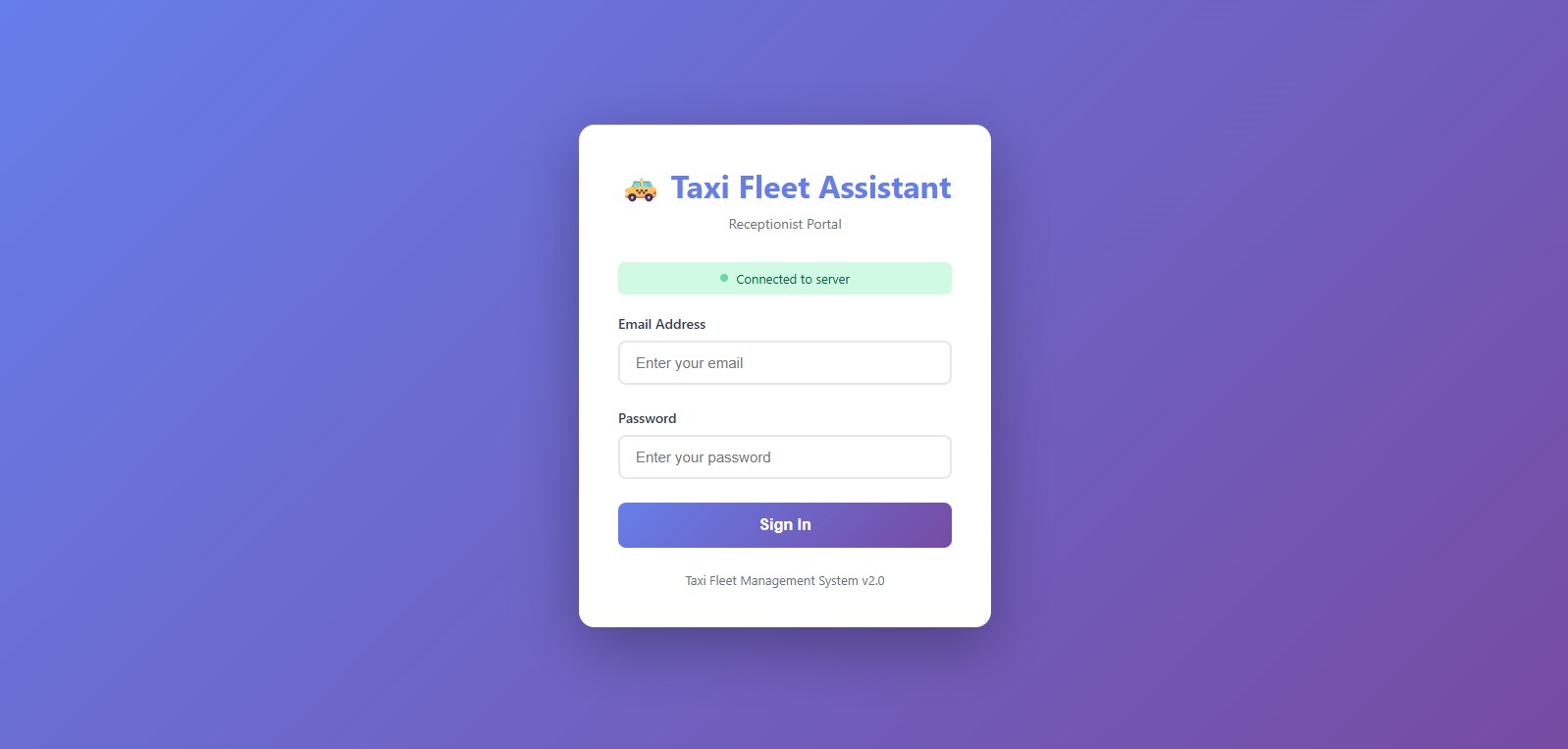
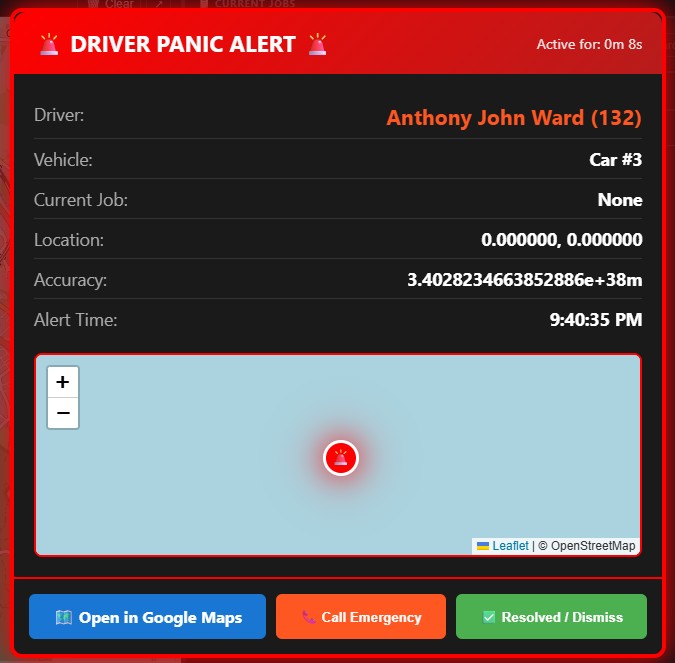
Dispatcher login screen.
Panic screen for emergency alerts and rapid response.
📳️Screenshot — Login and Panic Screens
🤖
Smart Driver Matching
The Brain weighs distance, driver availability and job urgency to recommend the optimal driver for each booking. One click to accept the suggestion.
⏱️
ETA Awareness
Suggestions factor in each driver's current job progress, so you're never assigning someone still 20 minutes from completing their previous run.
🎭
Dispatcher Always in Control
The Brain is a tool, not an autopilot. Every suggestion is a recommendation — you approve, override or ignore it. Complete control stays with the dispatcher at all times.
 Screenshot — Main Dispatch Console
 Screenshot — Main Dispatch Console